Rabbit Register for Windows Guided Tour
Deluxe Edition Screens
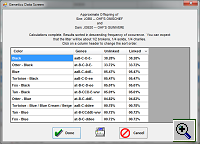
Based on the genetic makeup of the parents, the Genetics Screen shows the possible colors that a potential buck/doe pairing could produce, and the relative probabilities of those colors. With each new litter, the program refines the knowledge of the genetic makeup of the parents. Any new recessive trait that appears in a litter causes the program to fill-in information on the genes that are hidden behind the dominant traits exhibited by the sire and dam.
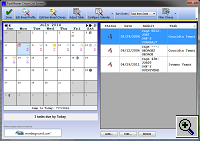
The Chore Screen displays a list of chores that are due to be performed. The user can select to display only the current day's chores, or a list of all uncompleted chores. The display can be sorted by the animal, the type of task, or the date. Chores are marked as completed by double-clicking on the item on the chore list. When a chore is marked as completed, the program may prompt the user for additional information, which is then automatically entered in the user's litter data. For example, when marking off palpation, the program will ask for the palpation results; when marking off that a litter was born, the program will ask for the date of birth and the number born. Clicking on the icon with the image of the printer allows the user to print out chore sheets. At the user's choosing, these sheets can be printed for a period of days, with each day printed on a separate page, or all days printed together. To help in your chore planning, the calendar also displays phase of the moon, the weather for the coming week, holidays, shows, and other important events.
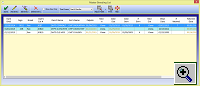
The Master Breeding List Screen shows the current status of every bred doe in the rabbitry. This list can be viewed for a single breed, or all breeds can be displayed at once. A hard copy of this screen can also be printed out by clicking on the icon with the image of a printer.
| Page 1 | Page 2 | Page 3 (Deluxe Edition) |
| Summary Screen, Detail Screen, Pedigree Screen | Litter Screen, Kin Screen, Financial Screen | Genetics Screen, Chore Screen, Master Breeding List |
You are Visitor #: 27,527
Copyright © 2023